Follow the steps below to run the Cryptographic Security Platform Database Appliance services.
To run the Cryptographic Security Platform Database Appliance services
Log in to the system on which you installed the Cryptographic Security Platform Database Appliance node.
The Cryptographic Security Platform Database Appliance installer will automatically run at virtual machine start.
Enter and confirm a password for the Cryptographic Security Platform Database Appliance
htadminadministrator and press Enter.This password controls access to the Cryptographic Security Platform Database Appliance for performing some administrative tasks. It does not permit access to the full OS.
Save this password in a secure place.
If you lose the password, contact Entrust Support. For security reasons, Cryptographic Security Platform Database Appliance does not provide a user-accessible password recovery mechanism.
Review the confirmation dialog that displays the URL of the Cryptographic Security Platform Database Appliance web console.
Press Enter to finish the installation.
- Wait until the installation completes.
- Copy the Management IP Address displayed on the confirmation dialog.
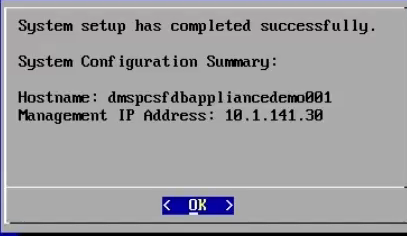
- Press Enter to close the dialog.