After creating an intermediate or issuing subordinate CA, follow the steps below if the parent CA was created as described in Importing an external root authority.
To certify a CA with an external root CA:
Open the following URL in a Web browser.
https://<hostname>/v2/Where
<hostname>is the IP address or domain name selected in General.- Log in to the Management Console as the user described in Creating partition administrators.
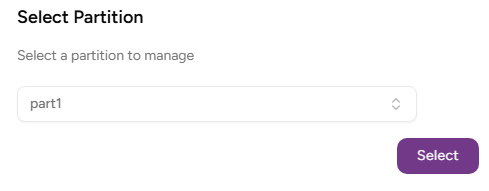
- If the user administers more than one partition, select the partition on which to manage certificate authorities and certificates.
Click Certificate Authorities in the sidebar.
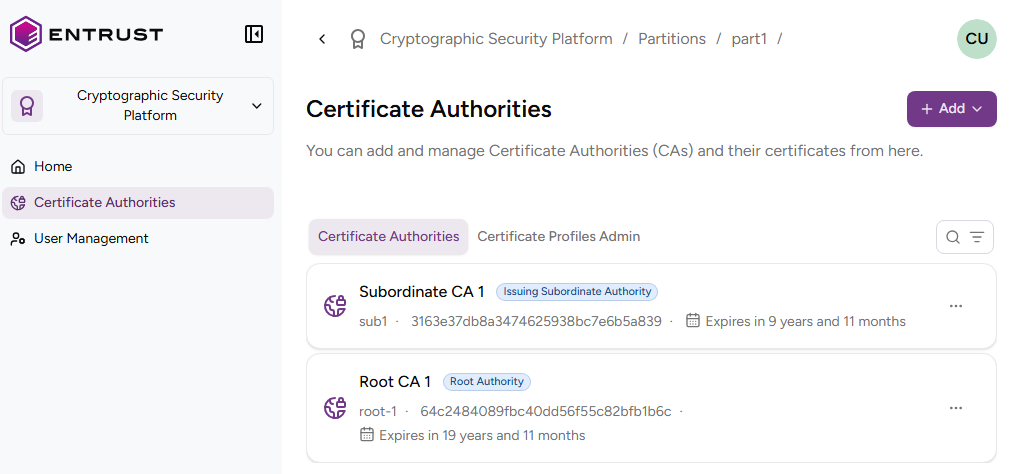
- In the CA grid, select the name of the intermediate or issuing CA.
Click the three dots ("…") at the top-right of the page.

- Select Download Certificate Request to download the Certificate Signing Request (CSR) generated for the subordinate CA.
Issue the subordinate CA certificate by signing the downloaded CSR with the private key of the external root CA. Make sure this certificate meets the RFC5280 requirements – for example:
- The certificate includes the Basic Constraints extension with the
caboolean set toTRUE. - The certificate includes the Key Usage extension with the
keyCertSignbit set. - The certificate includes other enabled bits, such as
cRLSignfor signing Certificate Revocation Lists (CRLs).
- The certificate includes the Basic Constraints extension with the
- Select Import Issuing Certificate Authority to upload the subordinate CA certificate.