See below to browse and inspect the details of the issued certificates.
To browse certificates:
Open the following URL in a Web browser.
https://<hostname>/v2/Where
<hostname>is the IP address or domain name selected in General.- Log in to the Management Console as the user described in Creating partition administrators.
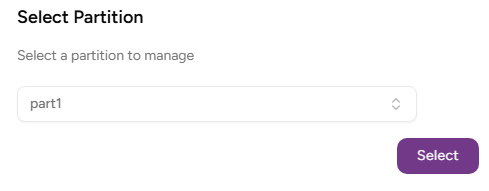
- If the user administers more than one partition, select the partition on which to manage certificate authorities and certificates.
Click Certificate Authorities in the sidebar.
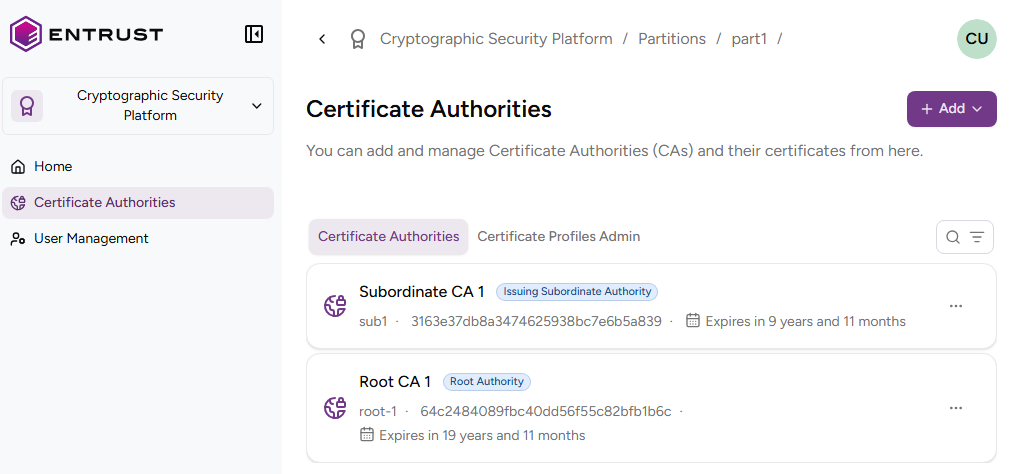
In the Certificate Authorities tab, click the name of a certificate authority to display the list of issued certificates.

In the search box, enter a search key or click the three dots ("…") and select a predefined filter.
- Expires in 7 days
- Expires in 30 days
- Expired Certificates
Click on a certificate to display the following certificate details.
- Status
- Profile ID
- Serial Number
- Issuer
- Valid From
- Expiry Date
- Public Key Type
- Signature Algorithm
- Subject Alternative Names
- Basic Constraints
- Key Usages
- Extended Key Usages
- Authority Info Access OCSP
- Authority Info Access CA Issuers
- Authority Key Identifier
- Subject Key Identifier
- CRL Distribution Points
- Certificate Policies
See RFC 5280 for more details on the standard certificate extensions.
Status
The validity status of the certificate.
Status | Description |
|---|---|
Issued | The certificate holds valid status |
Revoked | The certificate no longer holds valid status |
Suspended | The certificate no longer holds valid status, but the system can restore its validity |
See Changing the certificate status for how to change the validity status of a certificate.
Profile ID
The certificate profile selected when issuing the certificate.
Serial Number
The serial number (SN) of the issued certificate.
Issuer
The subject distinguished name of the CA certificate used to issue the certificate.
Valid From
The time and date when the certificate was issued.
Expiry Date
The expiry date selected when issuing the certificate.
Public Key Type
The type and size of the certificate public key.
Signature Algorithm
The hash and encryption algorithms used to sign the certificate.
Subject Alternative Names
The Subject Alternative Names (SAN) selected when issuing the certificate.
Basic Constraints
The type of holder to whom the certificate has been issued.
Value | Holder |
|---|---|
CA | A certificate authority |
EndEntity | An end-entity, like a device or a corporate user |
Key Usages
The purpose of the key contained in the certificate – for example:
- encipherment
- signature
- certificate signing
Extended Key Usages
One or more purposes for which the certified public key may be used, in addition to or in place of the basic purposes indicated in the Key Usage extension.
Authority Info Access OCSP
The URL of the OCSP service for checking the certificate validity status.
PKIaaS sets this value to Undefined when disabling this service for the CA.
Authority Info Access CA Issuers
Information for accessing the information service of the CA that issued the certificate.
PKIaaS sets this value to Undefined when disabling this service for the CA.
Authority Key Identifier
The identifier of the public key corresponding to the private key used to sign the certificate.
Subject Key Identifier
The identifier of the certificate public key.
CRL Distribution Points
The URLs for downloading the CRLs (Certificate Revocation Lists) generated by the CA that issued the certificate.
PKIaaS sets this value to Undefined when disabling this service for the CA.
Certificate Policies
A sequence of one or more policy information terms, each of which consists of an object identifier (OID) and optional qualifiers.