See below for deleting or disabling users.
Before deleting or disabling the initial admin user, ensure that you create a new user with the AdminRole role; otherwise, you will lose access to the system.
To delete or disable a user
Open the following URL in a Web browser.
https://<machine>:8443/management-consoleWhere
<machine>is the IP address or domain name of the machine hosting PKI Hub.This release changes the URL port to 8443. Update your bookmarks accordingly.
- Log in to the Management Console as a user with a role granting user management permissions – for example, the initial
adminadministrator user. Select Management Console > Identity Provider in the sidebar.
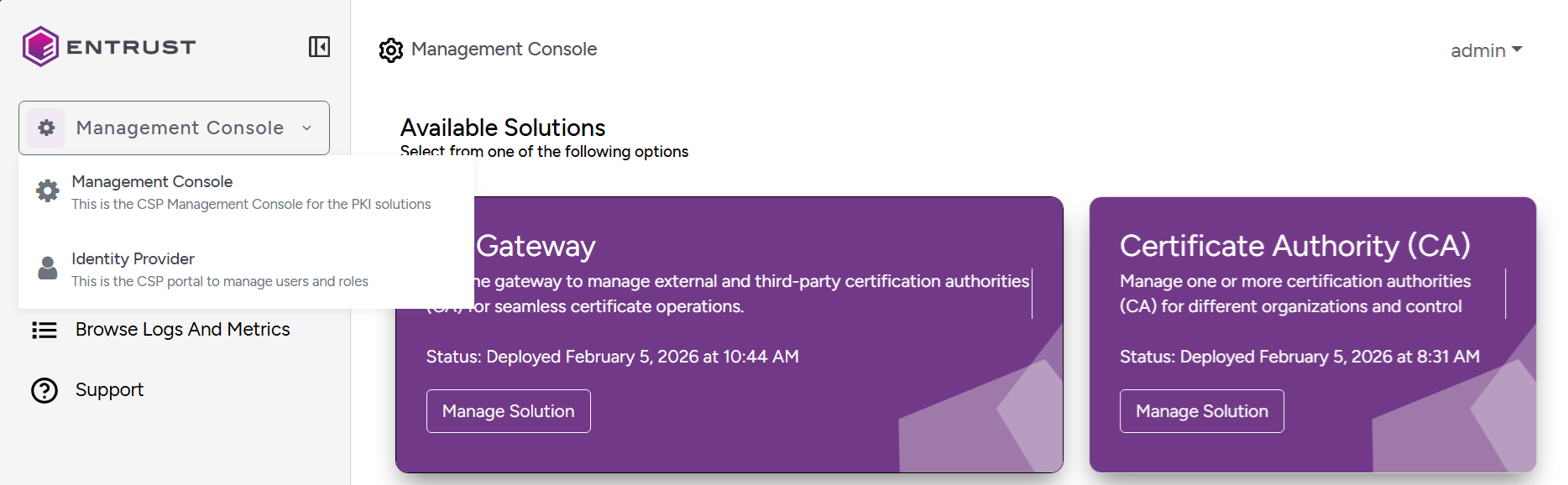
Click Users in the sidebar of the user management console.
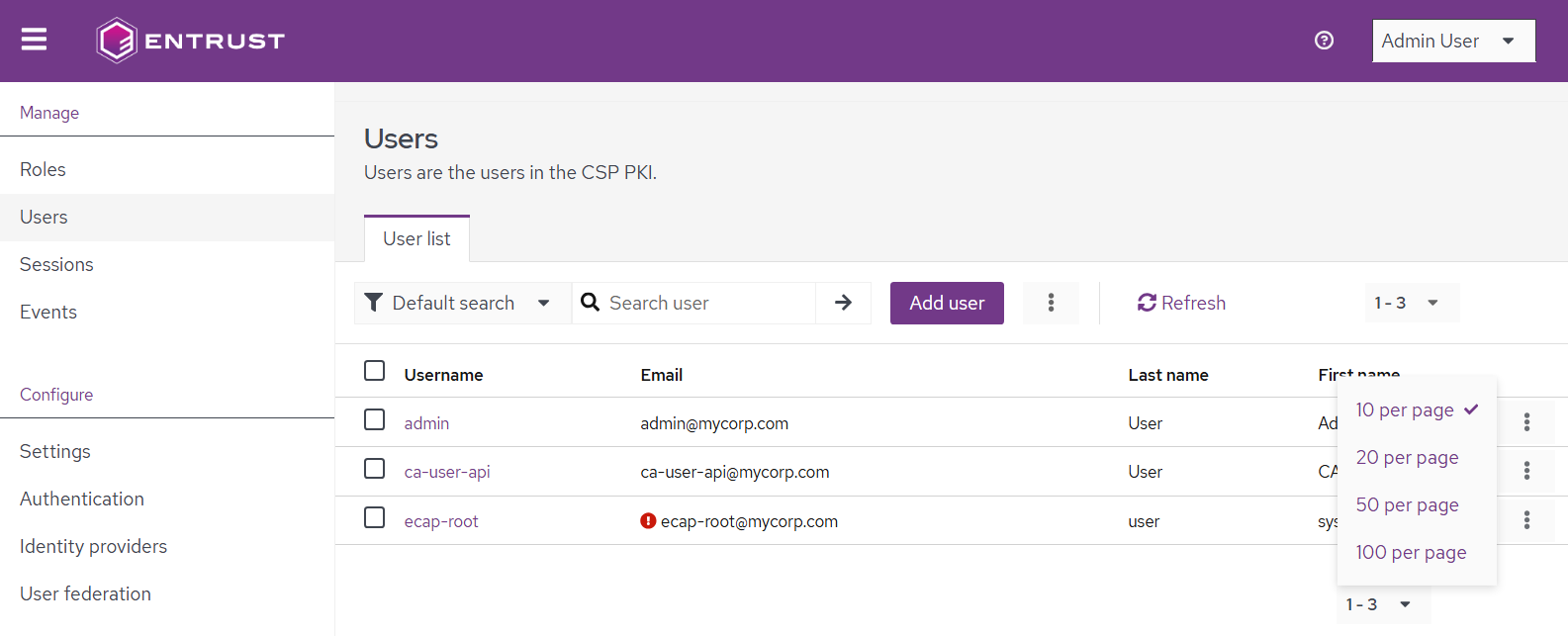
- Use the search options to filter users and select the number of users per page.
- Click a user's name to display their details page.
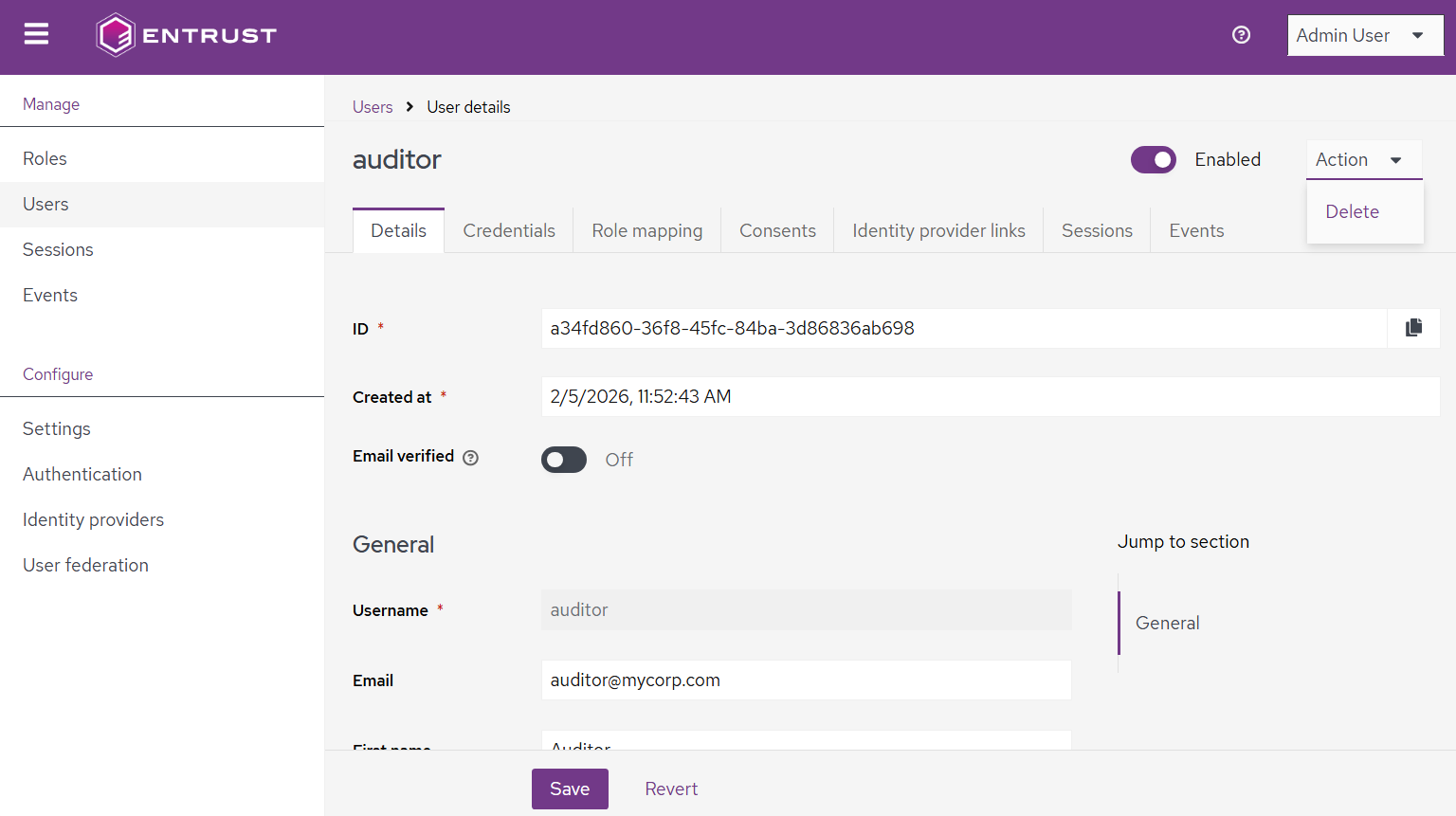
- In the user's details page:
- Turn off the Enabled toggle switch to disable the user.
- Select Action > Delete to permanently remove the user.