Configure the password authentication settings.
To password authentication settings.
Open the following URL in a Web browser.
https://<machine>:8443/management-consoleWhere
<machine>is the IP address or domain name of the machine hosting PKI Hub.This release changes the URL port to 8443. Update your bookmarks accordingly.
- Log in to the Management Console as a user with a role granting user management permissions – for example, the initial
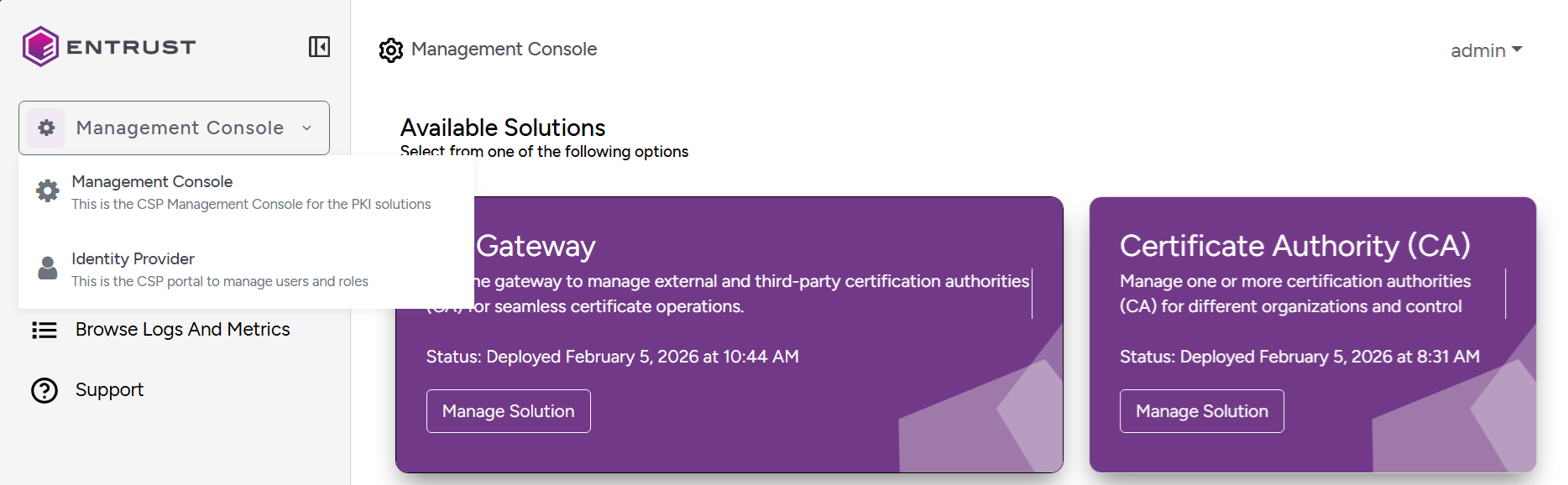
adminadministrator user. Select Management Console > Identity Provider in the sidebar.
- Click Authentication in the sidebar of the user management console.
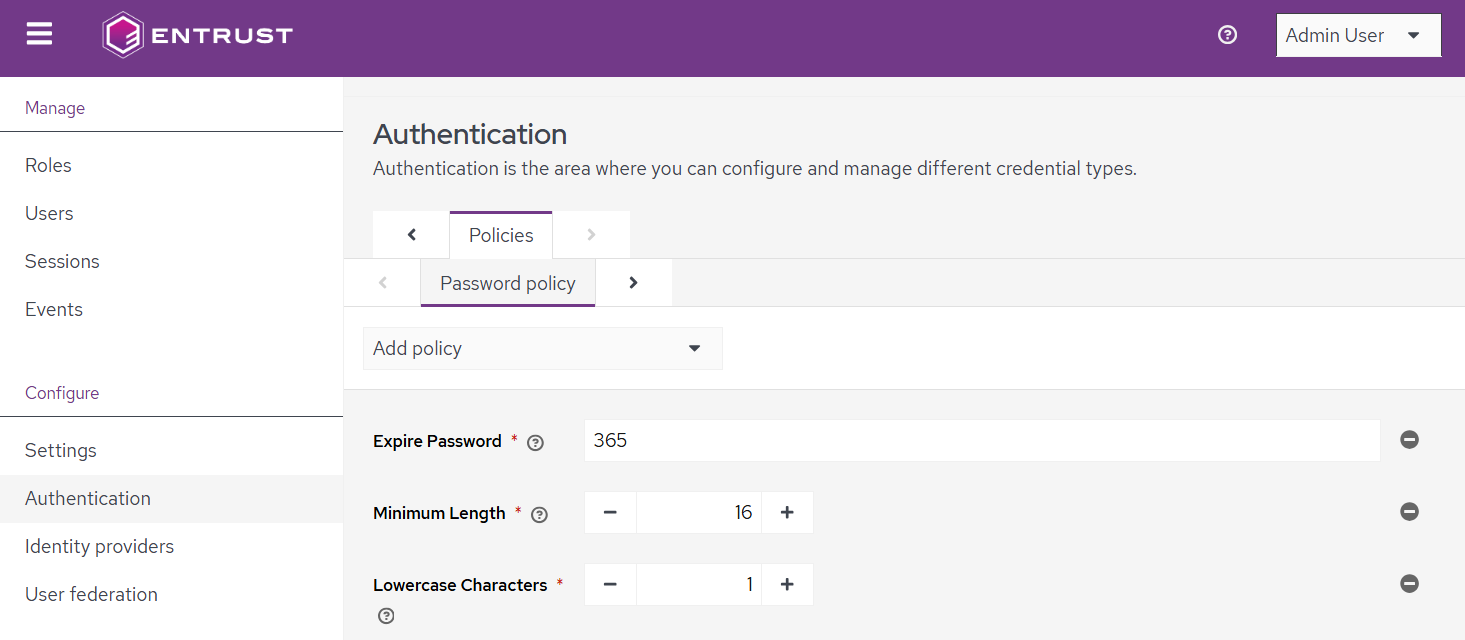
- Configure the following password authentication settings.
- Click Save.
Expire Password
The maximum age in days of a password.
Default value: 365
Minimum Length
The minimum number of characters required in the password.
Default value: 16
Lowercase Characters
The minimum number of lowercase letters required.
Default value: 1
Uppercase Characters
The minimum number of uppercase letters required.
Default value: 1
Not Contains Username
Whether the password can contain the username.
Option | Description | Default |
|---|---|---|
On | user passwords cannot contain the username |
|
Off | User passwords can contain the username |

Special Characters
The Minimum number of required special characters, such as:
!@#$%Default value: 1
Not Recently Used
The number of previous passwords used to prevent the reuse of recent passwords.
See Browsing and updating users for removing the password history of a user.
Default value: 8
Maximum Authentication Age
The maximum time since the last authentication before requiring re-login.
Default value: 365
Not Username
Whether the password can match the username.
Option | Description | Default |
|---|---|---|
On | The password cannot be exactly the same as the username |
|
Off | The password value can match the username |
Not Email
Whether the password can match the user's email address.
Option | Description | Default |
|---|---|---|
On | The password value cannot be exactly the same as the user’s email address |
|
Off | The password value can match the user's email address |
Digits
The minimum number of numeric digits required.
Default value: 1