See below for instructions on rebooting a PKI DB Appliance node.
To reboot a PKI DB Appliance node
- Log in to the user interface of the node you want to reboot.
- Navigate to CLUSTER > Servers.
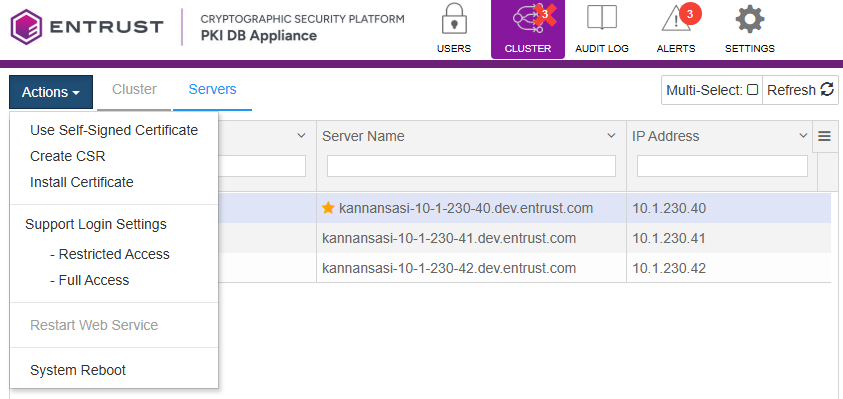
- Select the node labeled as Current Node.
- Click Actions > System reboot.
- Click Proceed on the confirmation dialog. The user interface will log you out.
- Wait for the node to reboot before logging in again.